
Ratings & surveys (NPS)
Learn what to improve, from the runners themselves
After an event, the voices you hear are the most unhappy and the most delighted. The middle, which is nearly everybody, stays quiet.
Runners most want to tell you something in the first two or three days. If nobody asks then, the answers fade with the memory, and next year is planned on the team’s impressions alone.
After the race our team sends a thank-you email with a short survey to every confirmed entry, then turns the answers into category scores you can compare across distances and years, so you know what to fix first.
What this service does for you
- 1
The post-race email brings runners back to your event
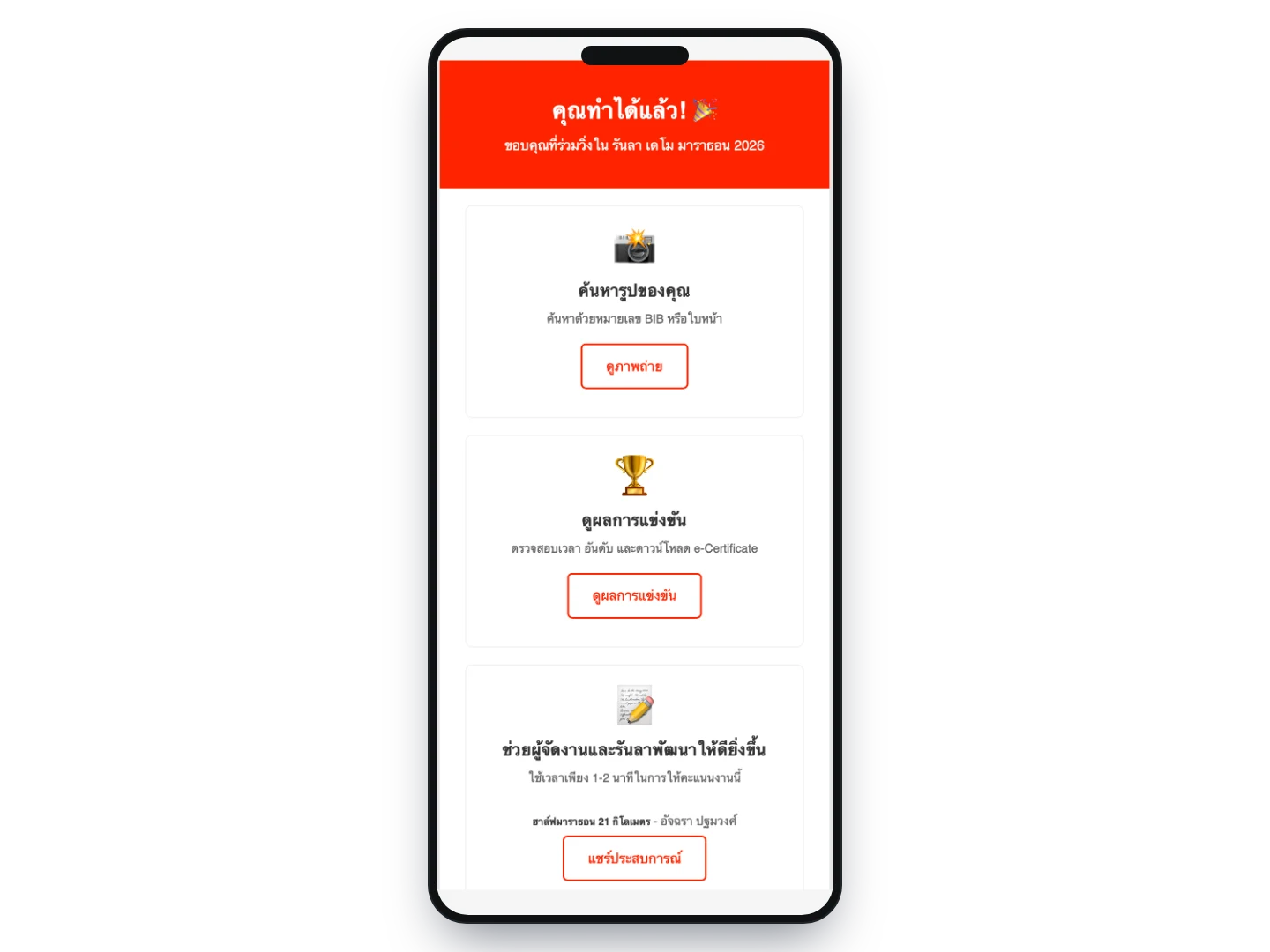
Once results are complete, we send a thank-you email to every confirmed entry. One message carries the button to their results, a button to find their photos from your event’s photographers, a button to rate the event, and your contact details — with your event’s banner and colours, not RunLah’s.
- 2
A survey that takes a minute or two
Thirteen questions covering information and registration, the venue, how the race itself was run, and how they felt leaving. Tapping stars on a phone is enough to complete it, and anyone scoring a category low gets a follow-up on that category only — so you get the reasons without asking everybody to write an essay.
- 3
Scores you can actually compare
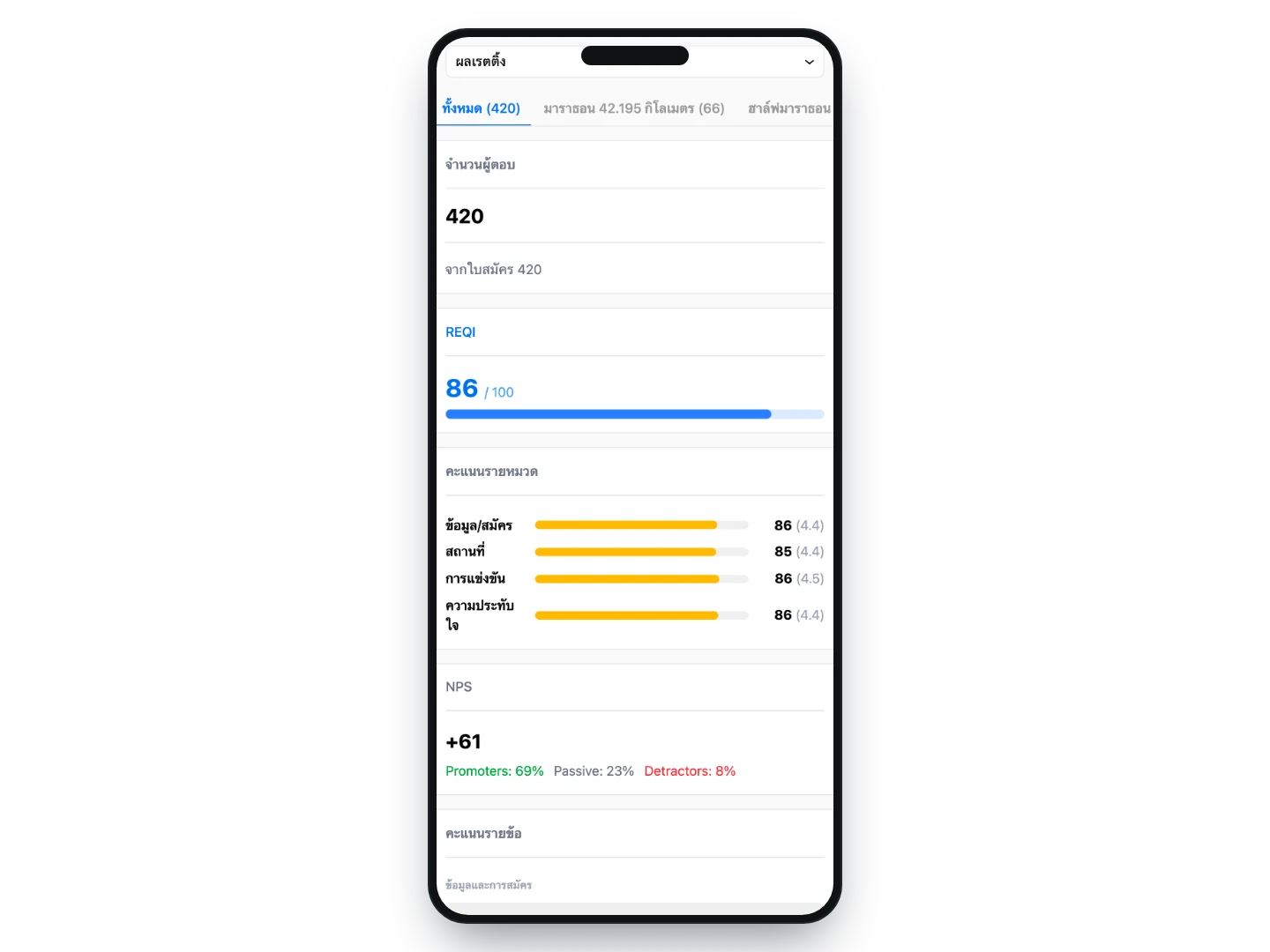
A REQI score from 0–100 for the event overall, alongside an NPS showing how ready runners are to bring friends next year, plus scores per category and per question so you can see where a drop came from. View it per distance or for the whole event.
- 4
Comments you can use straight away
Comments runners agreed to publish appear in the report without the author’s name, ready to take to a team debrief, a thank-you post, or a sponsorship proposal for next year.
How organizers use it
Know what to fix first next year
Category scores show whether runners struggled with getting to the venue, the course and water stations, the crew or the merchandise — rather than judging by whichever comment was loudest on your page.
Numbers to take to sponsors and venues
The overall score with the number of respondents is evidence of where your event stands, and it compares to last year because the question set is the same every year. No vague claims that the event went well.
Stars on the event page help sell next year
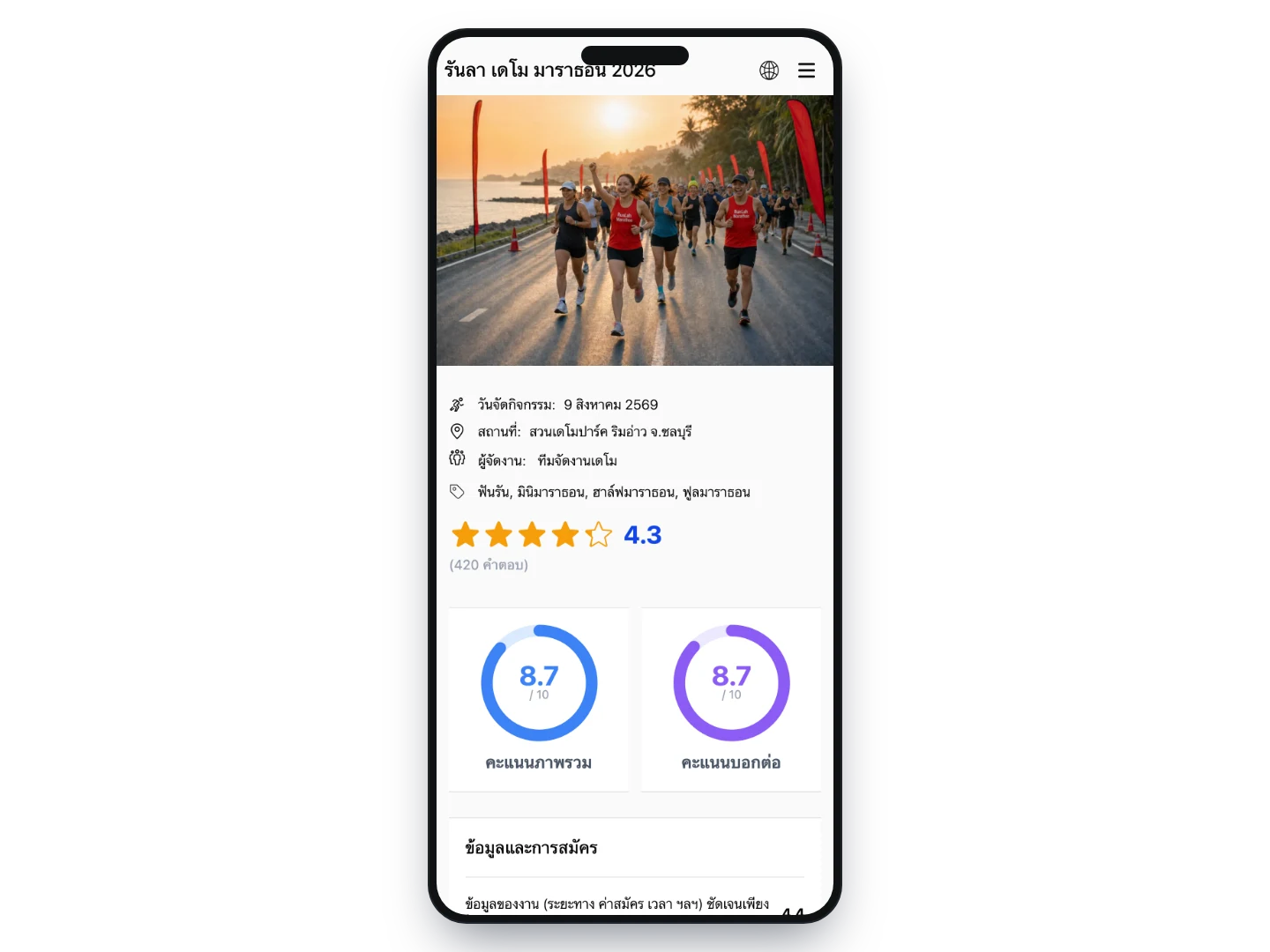
The score appears as stars with the number of respondents on your event page, with the full summary a tap away — so runners choosing a race can see how the last edition was rated.
Collect feedback from runners who did not enter through us
requires the public linkOpen a public link or QR that anyone can answer, put it on a stand or share it in the event’s LINE group, and split it by distance if you like — which suits events taking entries through several channels.
What you can set
- Question set
- Questions that do not apply to your event can be removed — an event with no prize ceremony, for instance — while the overall score and the would-you-recommend question stay on every event
- Response window
- Set the opening and closing dates for responses
- Who can respond
- Confirmed entrants who registered through RunLah, or anyone at all through a public link
- Per distance
- Questions and response windows can be set per distance, and scores viewed per distance or for the whole event
Frequently asked questions
Who receives the thank-you email, and when?
After the event, once results are complete and the survey is ready. It goes to every confirmed entry, including the other members of a team entry, and RunLah sends it — so you do not have to prepare a list or write a mailing.
Can the organizer see who gave which score?
No. Scores are reported in aggregate, and comments appear only where the runner agreed to publish them, shown without the author’s name. Comments they did not agree to publish are not shown anywhere.
Is the event’s score public?
Yes. The stars and the score summary sit on the event page for anyone to see, which is an advantage for events that are run well and the reason these scores carry more weight than your own claims. Events that never ran a survey simply have no stars.
Can events that did not take entries through RunLah use this?
The survey itself works through a public link or QR handed out at the event. The thank-you email and the personalised rating links have to come from entries in RunLah’s system, since both read names and email addresses from the entries directly.
Do we need to use RunLah for timing as well?
No, the survey does not read race results. But if you do use our timing, the same email carries a results button for the runner, with no second mailing needed.
Related services
Results & rankings
Results appear the moment a runner crosses the line, with splits and category rankings across every distance, plus an individual result page that can be shared and looked up long afterwards.
Race statistics & analysis
Who actually ran, who did not turn up, when finishers arrived in the biggest numbers, and how long each distance took — read straight off your own race results, with nobody having to build a summary file.