Banner

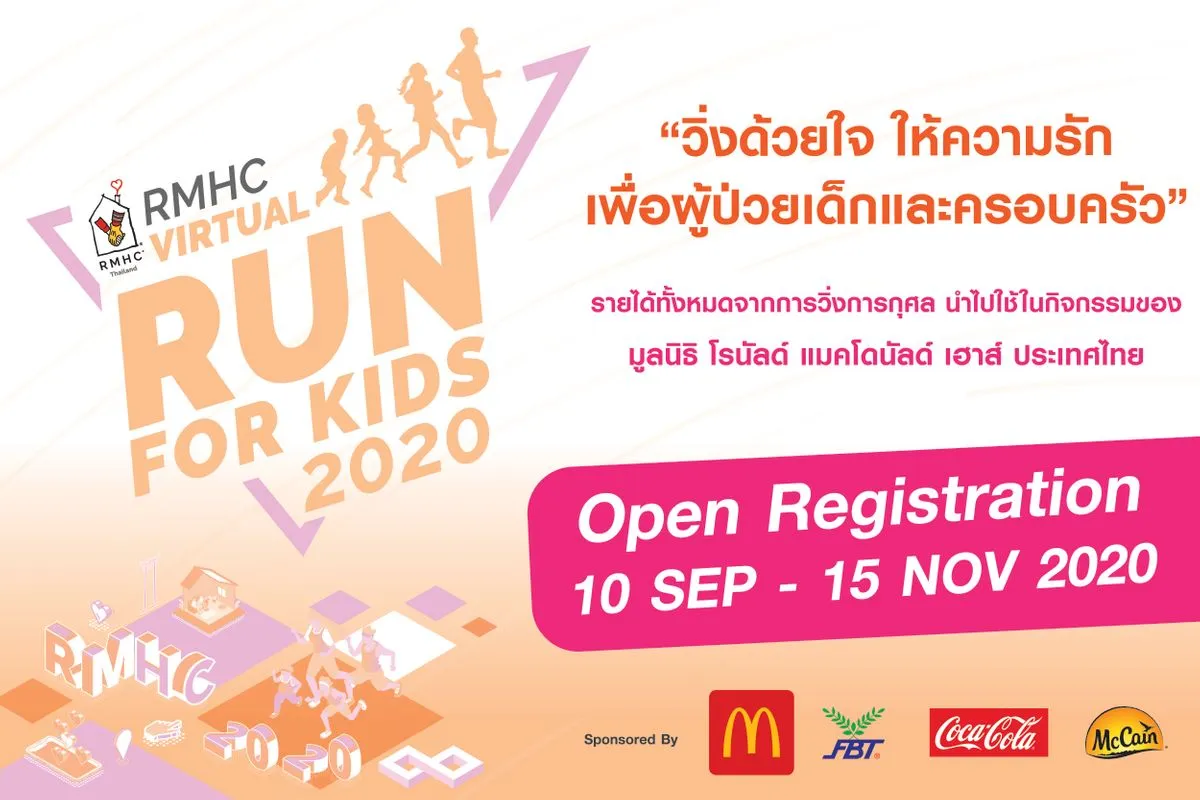
RMHC Virtual Run for Kids 2020

Sep 10 - Nov 20, 2020
Can do activities anywhere, according to the scheduled time, accumulate activity, complete, submit the results for the prize

Although the pandemic of COVID-19 impact worldwide, the needs of underprivileged child patients and their families stay still. “New Normal” apply for Running Activities. This year Ronald McDonald House Charities Thailand of RMHC will convert Actual Run Activities of RMHC Mini Marathon Run for Kids that we have conducted 5 times since Y2014 to RMHC Virtual Run for Kids 2020. We would like you to be a part of “RMHC Virtual Run for Kids 2020” for helping child patients and their families through RMHC 3 core programs:

  1. Ronald McDonald House : The Home-Away-From- Home provides the temporary accommodation for the seriously ill children’s families to stay at no cost. Four Ronald McDonald Houses located at the Queen Sirikit National Institute of Child Health, Nopparatrajathanee Hospital, King Chulalongkorn Memorial Hospital, and Siriraj Hospital with capacity of 58,000 bed nights per year, serving more than 22,000 persons.
  2. Ronald McDonald Dental Care Unit: Good Health Under Royal Graciousness, with the cooperation of Thai Red Cross Children Home and Royal Thai Armed Forces, Royal Thai Army, Royal Thai Air Force, Royal Thai Navy, Maha Chakri Sirindhorn Dental Hospital, Private Dentist Foundation and Ronald McDonald House Charities. The Hope-On- Wheel has provided dental health services for unprivileged children around the country serving more than 6,600 children per year.
  3. The Ronald McDonald Playroom where sick children and families can relax and release their stress, while they are treated in the hospital or during waiting to seeing doctor at OPD area. There are 36 Playrooms in government hospitals and orphanage institution, serving more than 340,000 per year.

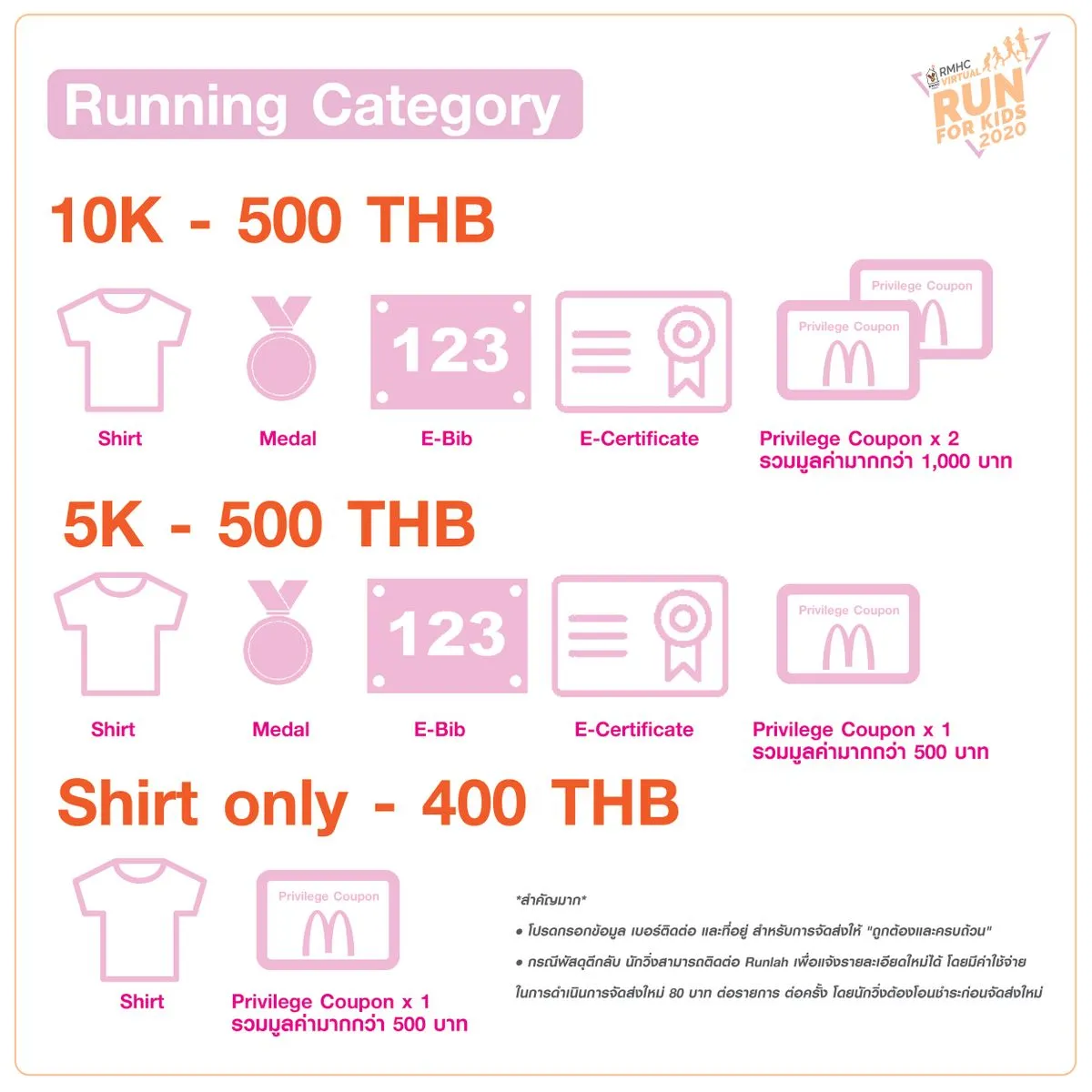
Categories

VIRTUAL RUN : 10K
āļŋ500
VIRTUAL RUN : 5K
āļŋ500
SHIRT ONLY

Donate to help the project (shirt only, not running)

āļŋ400
Section image

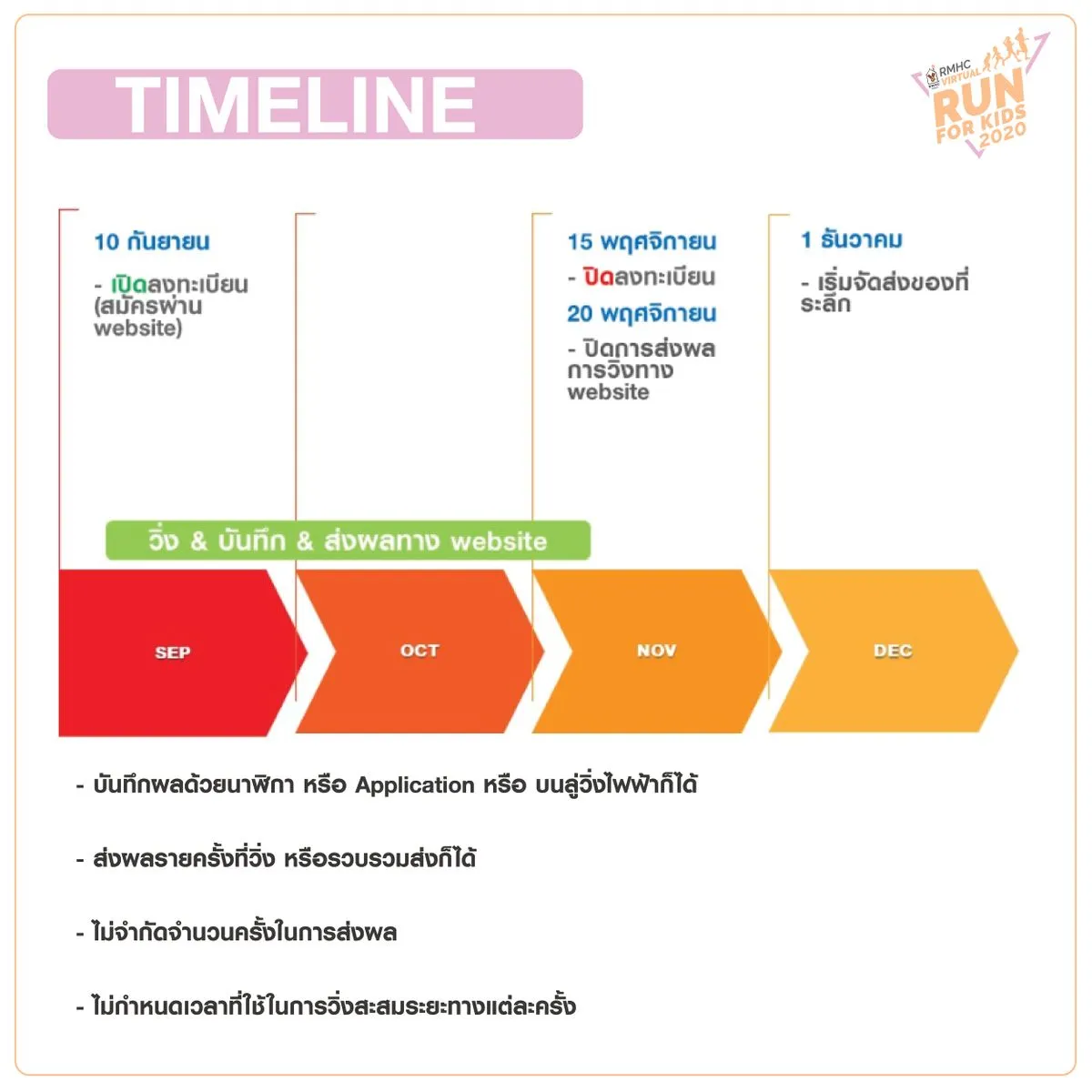
āđ€āļ›āļīāļ”āļĢāļąāļšāļŠāļĄāļąāļ„āļĢ : 10 āļāļąāļ™āļĒāļēāļĒāļ™ â€“ 15 āļžāļĪāļĻāļˆāļīāļāļēāļĒāļ™ 2563

āļŠāđˆāļ‡āļœāļĨāļāļēāļĢāļ§āļīāđˆāļ‡ : āđ€āļĄāļ·āđˆāļ­āļ—āļģāļāļēāļĢāļŠāļĄāļąāļ„āļĢāđ€āļŠāļĢāđ‡āļˆāļŠāļĄāļšāļđāļĢāļ“āđŒ āļ™āļąāļāļ§āļīāđˆāļ‡āļˆāļķāļ‡āļŠāļēāļĄāļēāļĢāļ–āļŠāđˆāļ‡āļœāļĨāļāļēāļĢāļ§āļīāđˆāļ‡āđ„āļ”āđ‰ āđ‚āļ”āļĒāļ™āļąāļšāļ•āļąāđ‰āļ‡āđāļ•āđˆāļ§āļąāļ™āļ—āļĩāđˆāļŠāļĄāļąāļ„āļĢ āđ‚āļ”āļĒāļ›āļīāļ”āļāļēāļĢāļŠāđˆāļ‡āļœāļĨāļ§āļīāđˆāļ‡āđƒāļ™āļ§āļąāļ™āļ—āļĩāđˆ 20 āļžāļĪāļĻāļˆāļīāļāļēāļĒāļ™ 2563 āđ€āļ§āļĨāļē 23.59 āļ™.

āļāļēāļĢāļšāļąāļ™āļ—āļķāļāļœāļĨ :

  • āļšāļąāļ™āļ—āļķāļāļœāļĨāļ”āđ‰āļ§āļĒāļ™āļēāļŽāļīāļāļē āļŦāļĢāļ·āļ­ Application āļŦāļĢāļ·āļ­ āļšāļ™āļĨāļđāđˆāļ§āļīāđˆāļ‡āđ„āļŸāļŸāđ‰āļēāļāđ‡āđ„āļ”āđ‰ āđ‚āļ”āļĒāļ āļēāļžāļ—āļĩāđˆāđƒāļŠāđ‰āļŠāđˆāļ‡āļœāļĨ āļ•āđ‰āļ­āļ‡āļĄāļĩāļ‚āđ‰āļ­āļĄāļđāļĨāļāļēāļĢāļ§āļąāļ”āļĢāļ°āļĒāļ°āļ—āļēāļ‡āđāļĨāļ°āđ€āļ§āļĨāļēāļ­āļĒāđˆāļēāļ‡āļŠāļąāļ”āđ€āļˆāļ™
  • āļŠāđˆāļ‡āļœāļĨāļĢāļēāļĒāļ„āļĢāļąāđ‰āļ‡āļ—āļĩāđˆāļ§āļīāđˆāļ‡ āļŦāļĢāļ·āļ­āļĢāļ§āļšāļĢāļ§āļĄāļŠāđˆāļ‡āļāđ‡āđ„āļ”āđ‰ āđ‚āļ”āļĒāļ āļēāļžāļ—āļĩāđˆāđƒāļŠāđ‰āļŠāđˆāļ‡āļœāļĨ āļ•āđ‰āļ­āļ‡āļĄāļĩāļ‚āđ‰āļ­āļĄāļđāļĨāļāļēāļĢāļ§āļąāļ”āļĢāļ°āļĒāļ°āļ—āļēāļ‡āđāļĨāļ°āđ€āļ§āļĨāļēāļ­āļĒāđˆāļēāļ‡āļŠāļąāļ”āđ€āļˆāļ™
  • āđ„āļĄāđˆāļˆāļģāļāļąāļ”āļˆāļģāļ™āļ§āļ™āļ„āļĢāļąāđ‰āļ‡āđƒāļ™āļāļēāļĢāļŠāđˆāļ‡āļœāļĨ āļˆāļ°āļ—āļĒāļ­āļĒāļ§āļīāđˆāļ‡āļ§āļąāļ™āļĨāļ°āļāļĩāđˆāļāļīāđ‚āļĨāđ€āļĄāļ•āļĢāļāđ‡āđ„āļ”āđ‰ āđ€āļžāļĩāļĒāļ‡āđāļ„āđˆāđ€āļāđ‡āļšāļŠāļ°āļŠāļĄāđƒāļŦāđ‰āļ„āļĢāļšāļ•āļēāļĄāļĢāļ°āļĒāļ°āļ—āļĩāđˆāļŠāļĄāļąāļ„āļĢ āļ āļēāļĒāđƒāļ™āļŠāđˆāļ§āļ‡āđ€āļ§āļĨāļēāļ—āļĩāđˆāļāļģāļŦāļ™āļ”
  • āđ„āļĄāđˆāļāļģāļŦāļ™āļ”āđ€āļ§āļĨāļēāļ—āļĩāđˆāđƒāļŠāđ‰āđƒāļ™āļāļēāļĢāļ§āļīāđˆāļ‡āļŠāļ°āļŠāļĄāļĢāļ°āļĒāļ°āļ—āļēāļ‡āđāļ•āđˆāļĨāļ°āļ„āļĢāļąāđ‰āļ‡
Section image

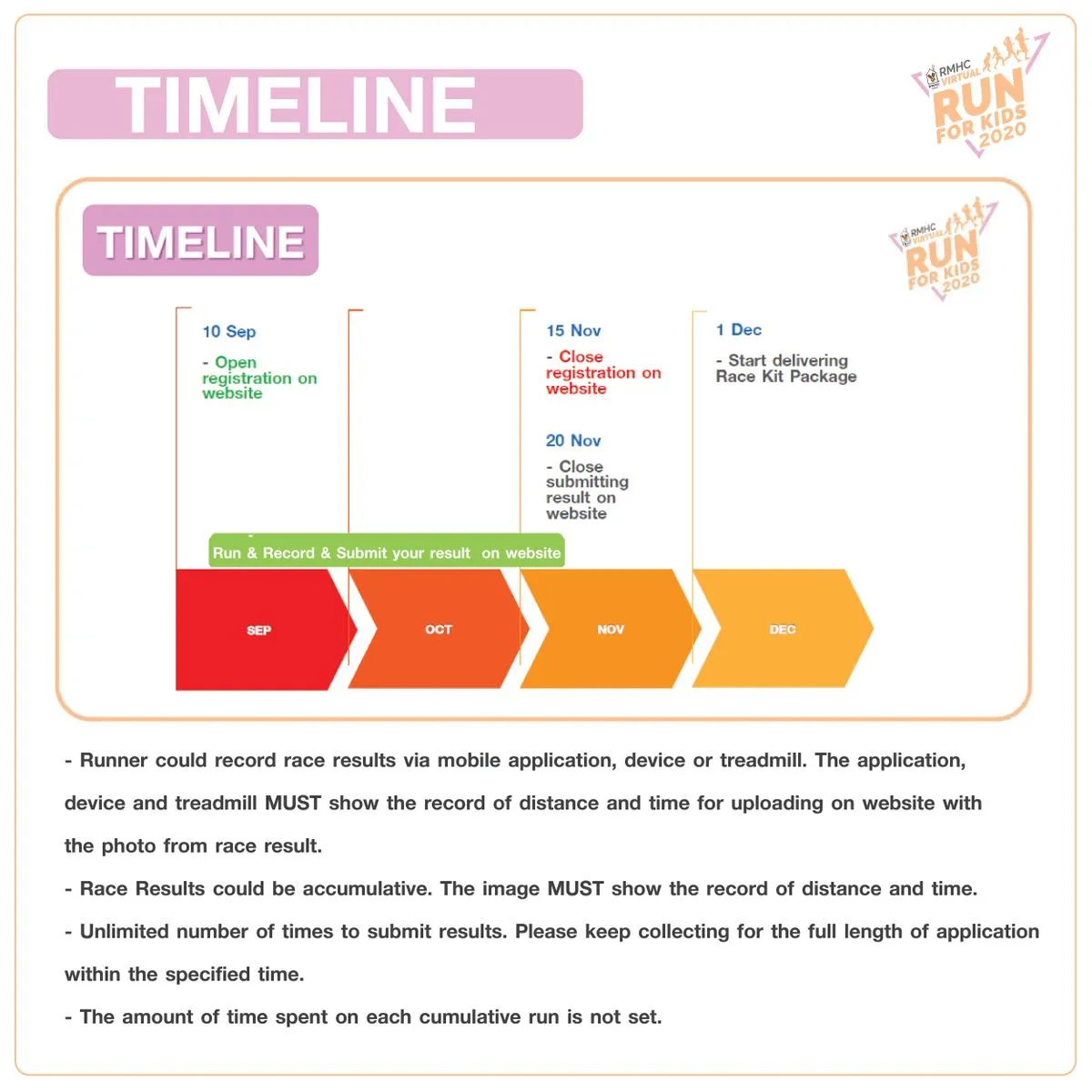
Open registration: 10 Sep – 15 Nov, 2020

Virtual race results submission: When the registration is completed and the payment is verified, runners could submit virtual race results (closing the submission of running on 20 November 2020 at 11:59 PM)

  • Runner could record race results via mobile application, device or treadmill. The application, device and treadmill MUST show the record of distance and time for uploading on website with the photo from race result.
  • Race Results could be accumulative. The image MUST show the record of distance and time.
  • Unlimited number of times to submit results. Please keep collecting for the full length of application within the specified time.
  • The amount of time spent on each cumulative run is not set.

Package

Section image

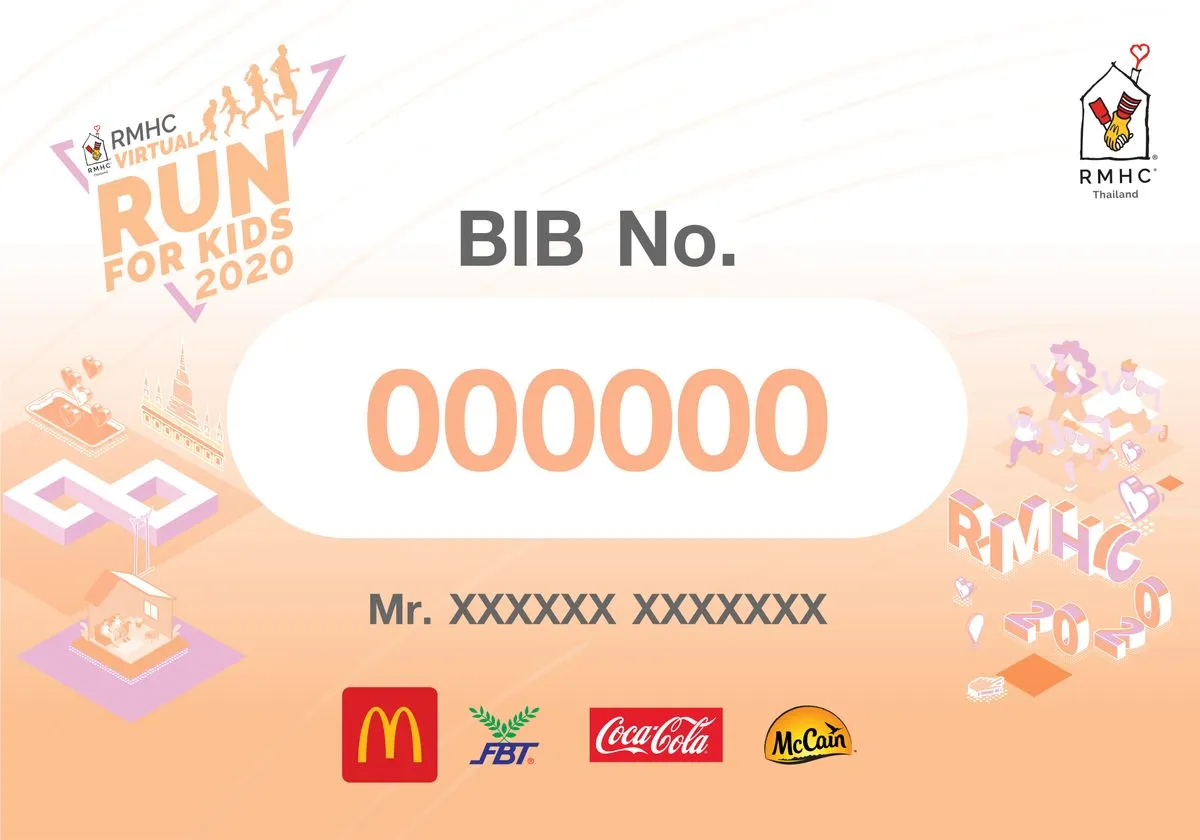
e-BiB

Section image

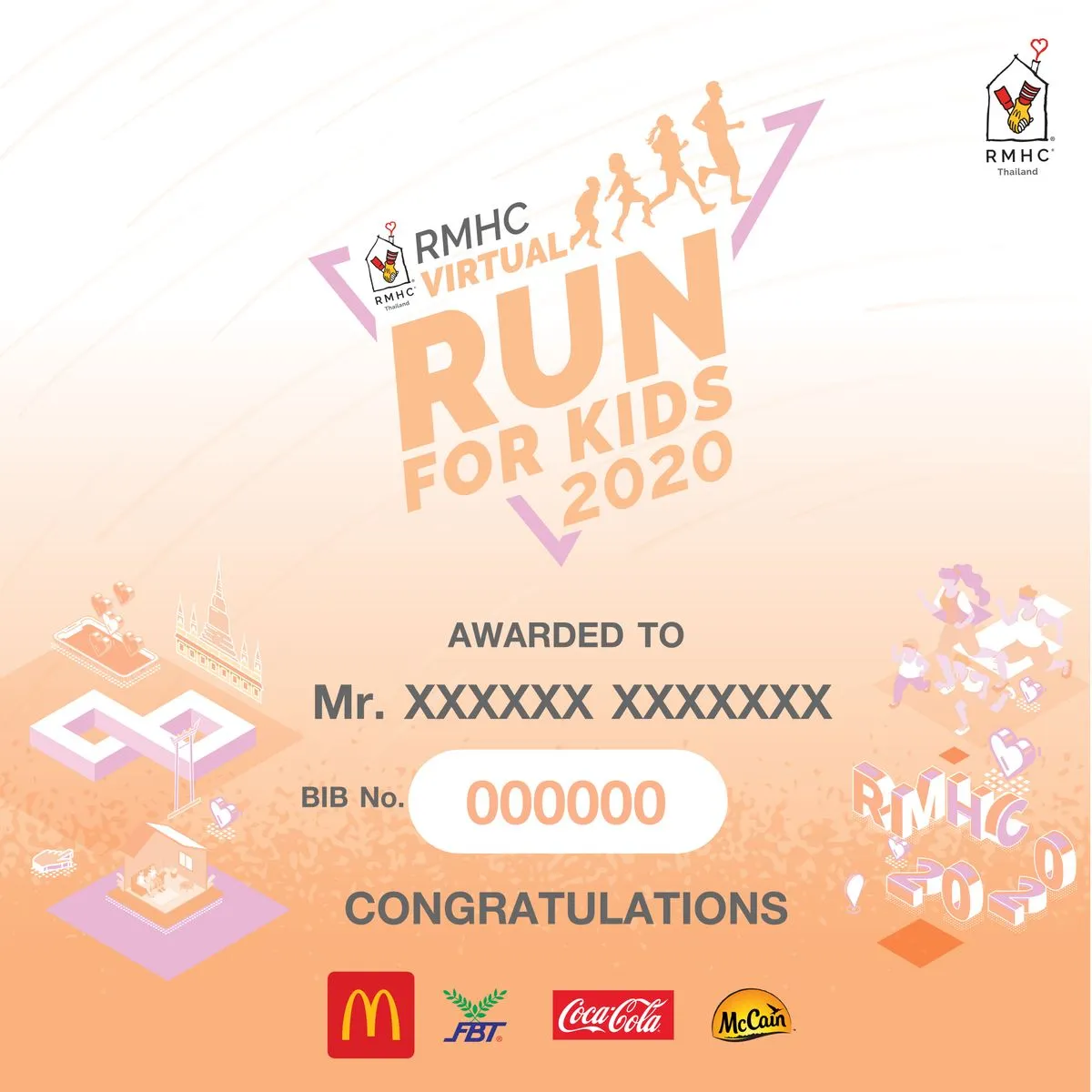
e-Certificate

Section image
Section image

10K

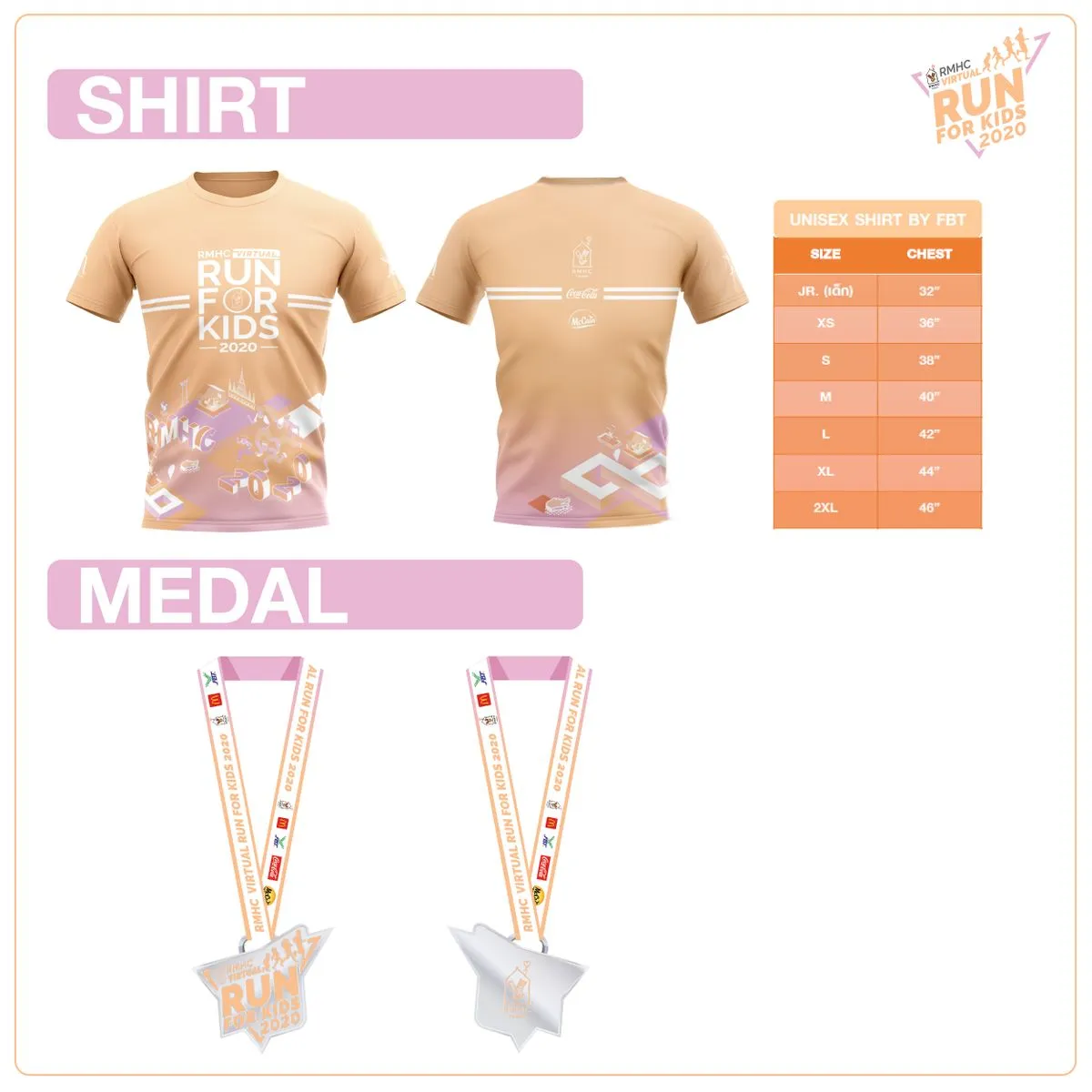
  • Running Shirt
  • McDonald’s Privilege Coupons x2 sets
  • E-Bib
  • Medal (Complete Race Result Submission)
  • E-Certificate (Complete Race Result Submission and verified and download e-certificate at https://www.runlah.com/user/registers)

5K

  • Running Shirt
  • McDonald’s Privilege Coupons x 1 set
  • E-Bib
  • Medal (Complete Race Result Submission)
  • E-Certificate (Complete Race Result Submission and verified and download e-certificate at https://www.runlah.com/user/registers)

please specify running shirt size correctly. Runner could not change the shirt size after complete registration.

Runner can download the E-Bib at https://www.runlah.com/user/registers after the payment is completed

Payment slip verification will be processed within 2 working days, once verified, the status will be "Payment Success" then runner could be able to download E- Bib

Donate for support RMHC program (Shirt only) – 400 THB

  • Running Shirt
  • McDonald’s Privilege Coupons x 1

Please specify shirt size correctly. After registration completed, shirt size cannot be modified. To support RMHC programs via website, please click! https://rmhc.or.th/th/donate-form.php

Contact information

Contact organizer (general info, request receipt, postal delivery issues, etc.)
Online registration (Runlah)

Contact

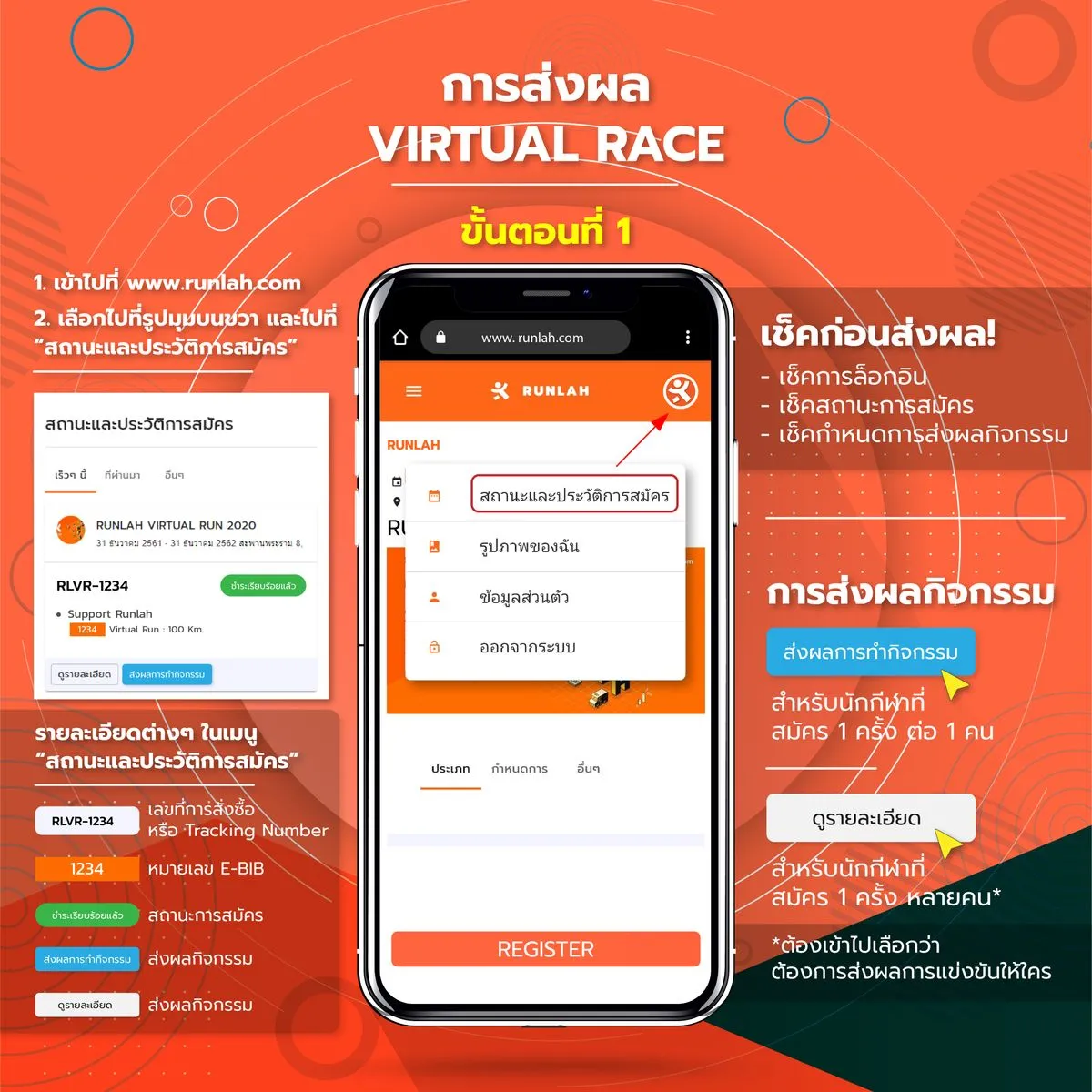
⏱ Sending the activity results.

Step to sending the activity results.

  1. Athlete have to got registered and confirmed.
  2. In the period that the organizer set to send the event results.
  3. Have to log in with register account the same.

When do you want to sending the activity result how to.

  1. Click into the “Registration Status & History” (Top right corner of website.) or Click here
  2. Click into “View detail” of the activity have to sending result.
  3. Choose the list name want to sending result, click into “Submit activity result”.
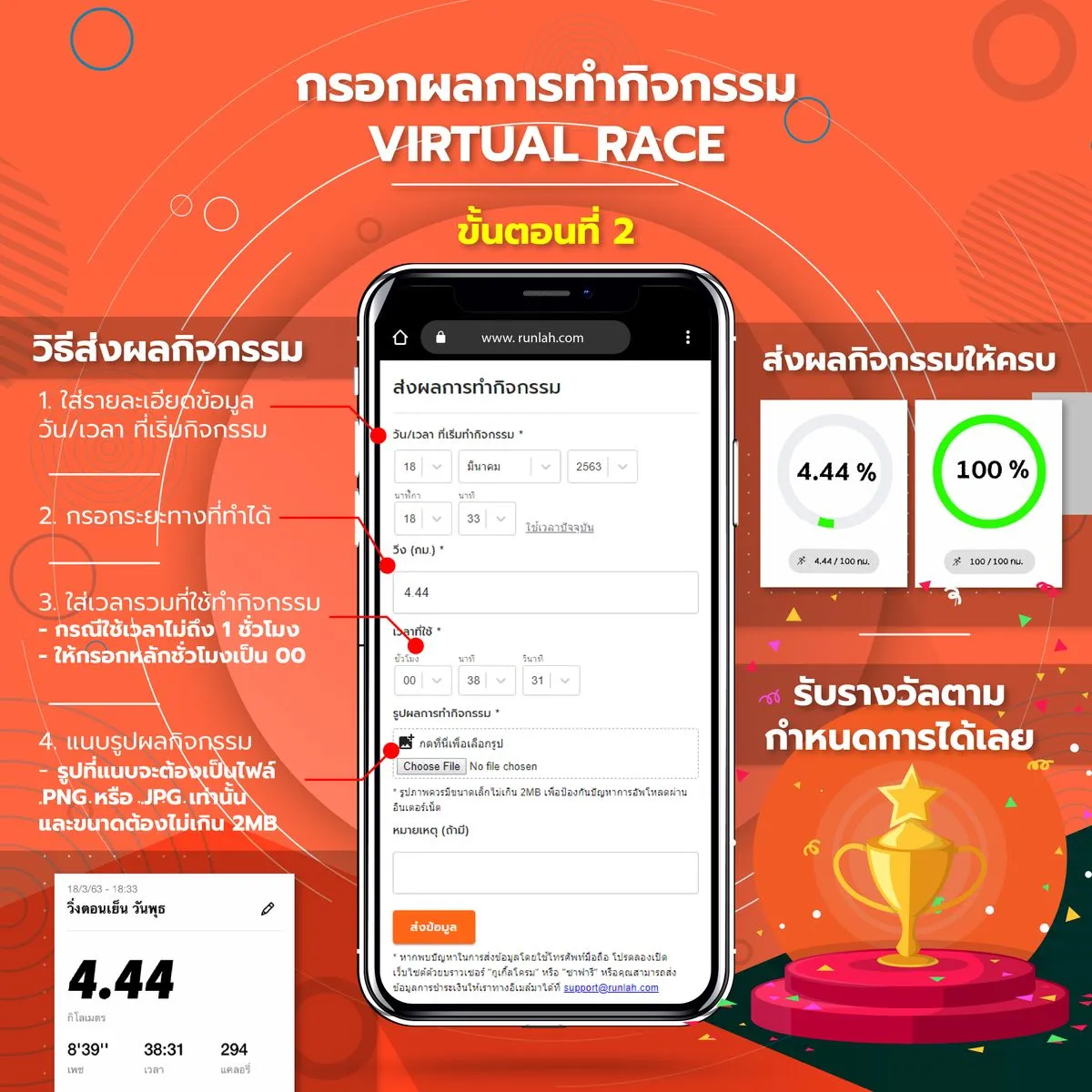
  4. Have to fill out more forms to whole; and sending the evidence of activity or capture your application that to use save the activity result.
  5. Recheck information. And then click on “Submit Data”.
  6. Wait at checking activity from organizer.

When you sent the activity result and organizer confirmed. The challenge completed and then wait to receive the reward as scheduled.

Step 1

Section image

Step 2

Section image