
Promotions & discount codes
Create urgency at a moment you choose
Entries at almost every race spike when sales open, spike again near the deadline, and sit flat for a long stretch in between. That flat middle is when many organizers cut the price for everyone.
A race-wide cut also discounts the runners who were going to enter anyway, and the ones who paid full price feel short-changed. When the race is over, nobody can say how many extra entries the discount bought, because nothing separates runners who came for the promotion from those who were always coming.
A discount you can control goes to a chosen group, distance or window, and every code shows how many times it was actually used. Next year you know which kind of discount paid off.
What this service does for you
- 1
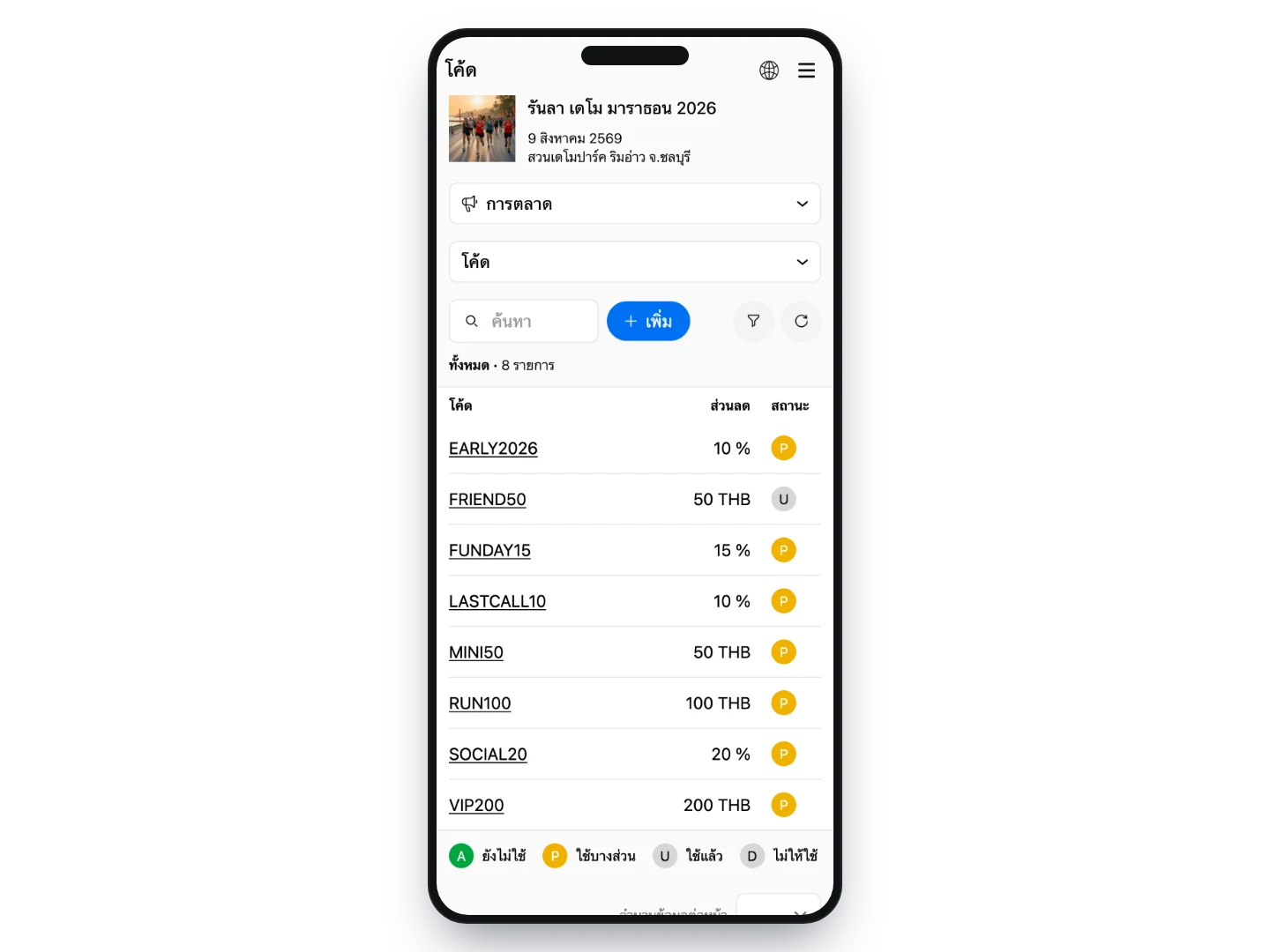
Create codes with the conditions you set
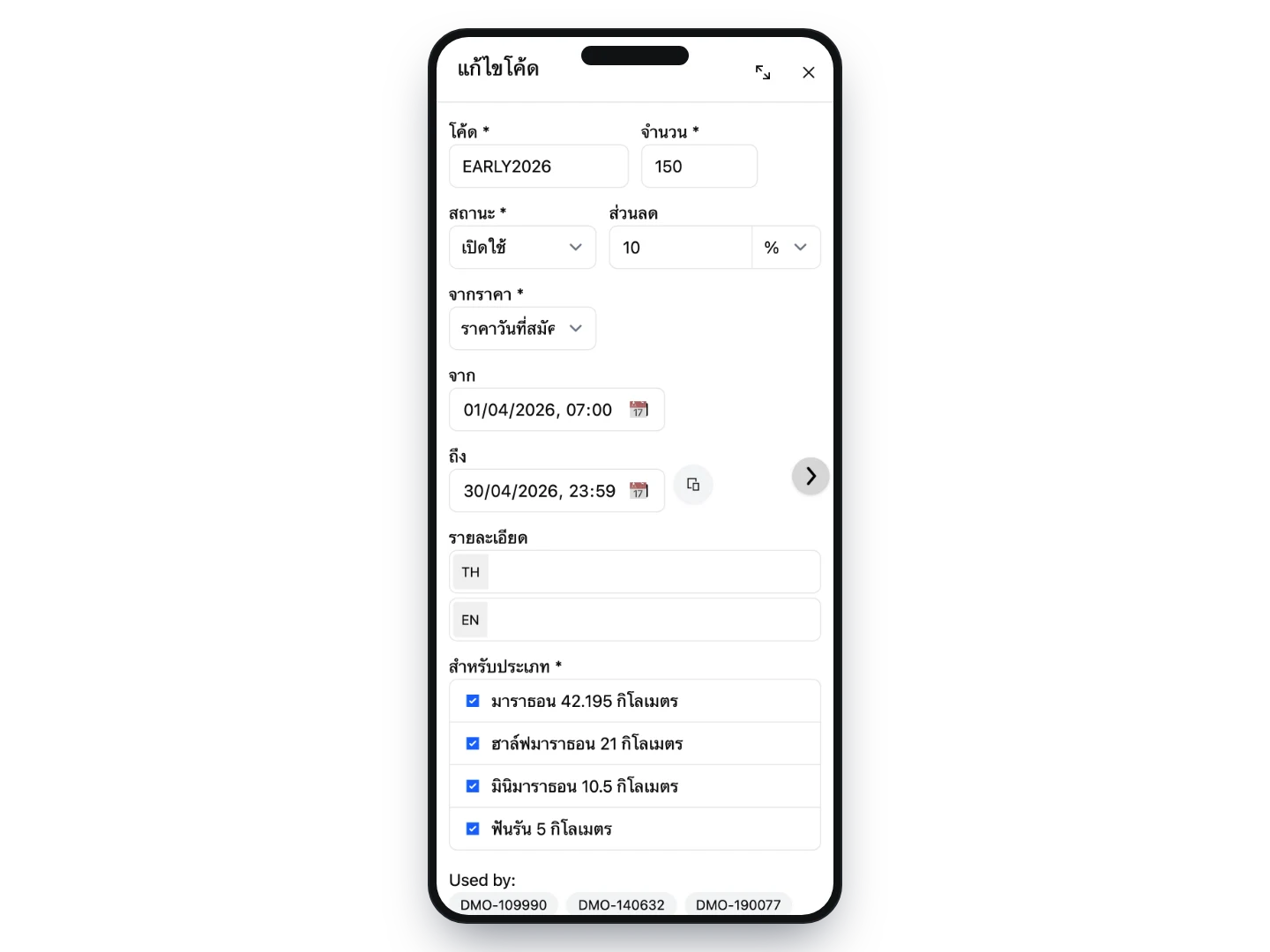
Build a code in your event dashboard: free entry, a percentage off or a fixed amount, which distances it applies to, when it expires and how many uses you are releasing. Every condition is enforced by the system, not an agreement you have to police yourself.
- 2
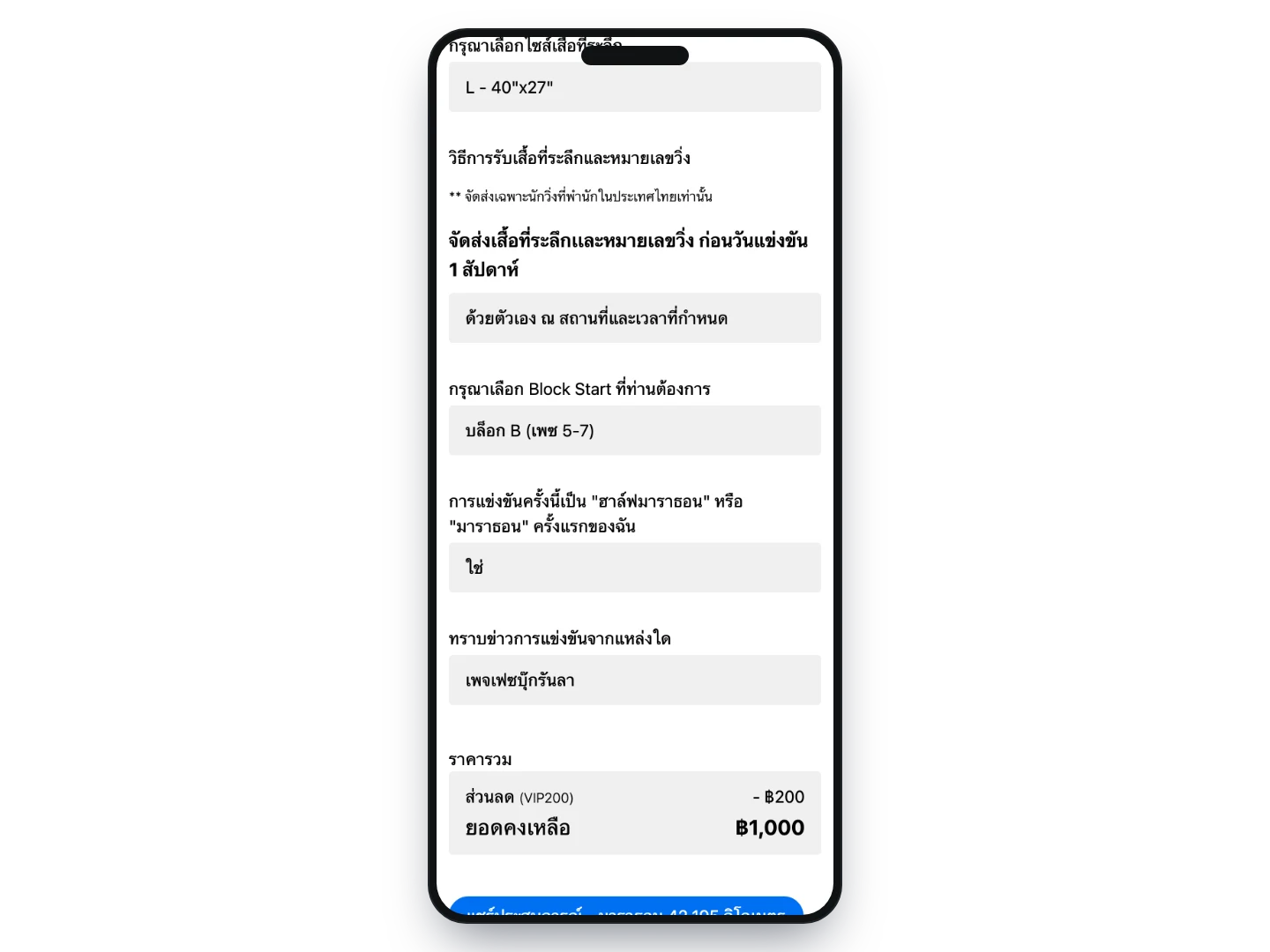
Runners enter the code and see the new price straight away
The code field sits in the entry flow, and the moment it is applied the original price is shown struck through next to what they actually pay. If the code has expired, run out or does not apply to that distance, the reason appears right there — rather than after they have finished entering and started arguing about it.
- 3
See how much of each code was used, and by whom
The code list shows uses against the number released for every code, and you can open any code to see which entries used it. If one gets shared more widely than you intended, switch it off mid-campaign — entries already made are untouched.
How organizers use it
Price that steps up over time
no code neededSet a price ladder by date for each distance in advance and the system picks the right price from the entry date — no getting up at midnight to change prices, and no risk of forgetting to close early-bird. The entry page shows the whole ladder with past tiers struck through, so runners can see for themselves that waiting costs more. The urgency is built in without you having to announce anything.
Group rates for runners who enter together
no code neededSet a fixed bundle — one marathon plus one mini at a single price, say — or a flexible rule that kicks in from a given number of entries, then share one link for the team captain to pass around. Anyone who opens it finds that price waiting, with no code to remember. You get entries in groups without quoting prices to each one in chat.
Run a pre-sale for code holders only
code requiredSet a registration window that only opens the form for people holding a code; everyone else cannot enter yet. It is a natural way to give last year’s runners or club members first pick — a reward that costs you nothing off the price — and it lets you test the whole flow with a small group before the public opening.
Hand a block of places to a sponsor
code requiredRather than one code good for 50 uses — which is hard to control once it reaches a LINE group — issue a batch that shares a prefix, SPONSOR01 through SPONSOR50, each valid once. You can see how many of the places you gave away were actually taken, which is a number worth having when you renegotiate next year, and if one leaks you lose only that one.
Fill the distance that is lagging
code requiredTie a code to the distances that still have room and it simply will not work on the ones already filling up. You can steer entries where you need them without discounting the whole race, and if you send the link with the code attached, the entry page shows only that distance — so nobody picks the wrong one.
Settle an individual complaint
code requiredIssue a single-use code for the amount you agreed. If the answer is a free entry, set the discount equal to the fee: the total comes to zero and the system confirms the entry automatically with nothing to pay. One code closes the matter — no bank transfer, no editing entries by hand — and there is a record of which entry it was used on.
What you can set
- Discount types
- Free entry, percentage off, or a fixed amount off
- Can it reach zero?
- Yes. Set a fixed amount equal to or above the entry fee and the total comes to zero, with the entry confirmed automatically.
- Which price the discount is taken from
- Choose between the price on the day of entry or the standard price. The latter stops a discount from stacking on top of early-bird pricing and landing below what you intended.
- Distance limits
- Choose which distances each code is valid for
- Validity window
- Set a start and expiry date, or leave it open to run for the whole period
- Uses per code
- Cap the total number of uses; the system counts one down on each successful entry
- Switching off mid-campaign
- Disable a code instantly — entries that already used it are unaffected
- Add-ons included in the discount
- Mark individual add-ons, such as an extra shirt or shuttle bus, to be counted in the amount the discount is calculated from
Frequently asked questions
Can we limit a code to one use per person?
Not yet — the system counts total uses of a code rather than tying it to a user account, so a single code with 50 uses could be spent by one entrant in one go. The approach that works today is a batch of single-use codes handed out individually, which gives you tighter control and lets you see exactly which ones have been redeemed.
If we need dozens of codes at once, can we create them ourselves?
For now, tell the team and we will generate them: you set the conditions once on a template code and the system produces a batch with a shared prefix and unique endings. If you already have a list of codes, send us the Excel file and we will import it. Creating them one at a time is something you can always do yourself.
Why is the code field not showing on our entry form?
The field only appears when the registration window is set to accept both open entries and codes. If it is set to open entries only, runners will not see it — that setting is the first thing to check, and the team can confirm it for you if you are unsure.
Can a discount code be combined with a group rate?
Not on the same entry — a runner uses one or the other, and if a group rate is selected the code field does not appear. That is deliberate: stacked discounts land below the price you intended. If a particular group should pay less, a second group rate keeps the numbers under your control.
How much detail do we get on what the discounts cost us?
The code list shows uses against the total released for each code, and you can open any of them to see the entries behind it. The money side lives in the downloadable sales file, which has per-entry columns for the code and the discount so you can total it in Excel. There is no ready-made summary page for discount totals yet.
Does the system email codes to runners for us?
Not currently, so distribution stays with you — your page, a LINE group, or a sponsor passing them on. The upside is that you choose the channel and the timing, and if you want to know which channel worked, issue a separate code per channel and compare how many were redeemed.
Related services
Online registration
Our team reviews your details and configures the whole registration — distances, price tiers, caps, solo and team entries, event-specific questions — before you go on sale, and one set of entrant data carries all the way through to race day.
Referrals
Runners create their own team and get a share link, and the system tracks which entries came from which link — so you can reward your best recruiters or measure an influencer properly, at no cost per head.